Several makeup directions
Explore natural, polished and more expressive looks from curated options.
Preview changes to brows, eyes, lips and the overall finish while keeping the person recognizable.
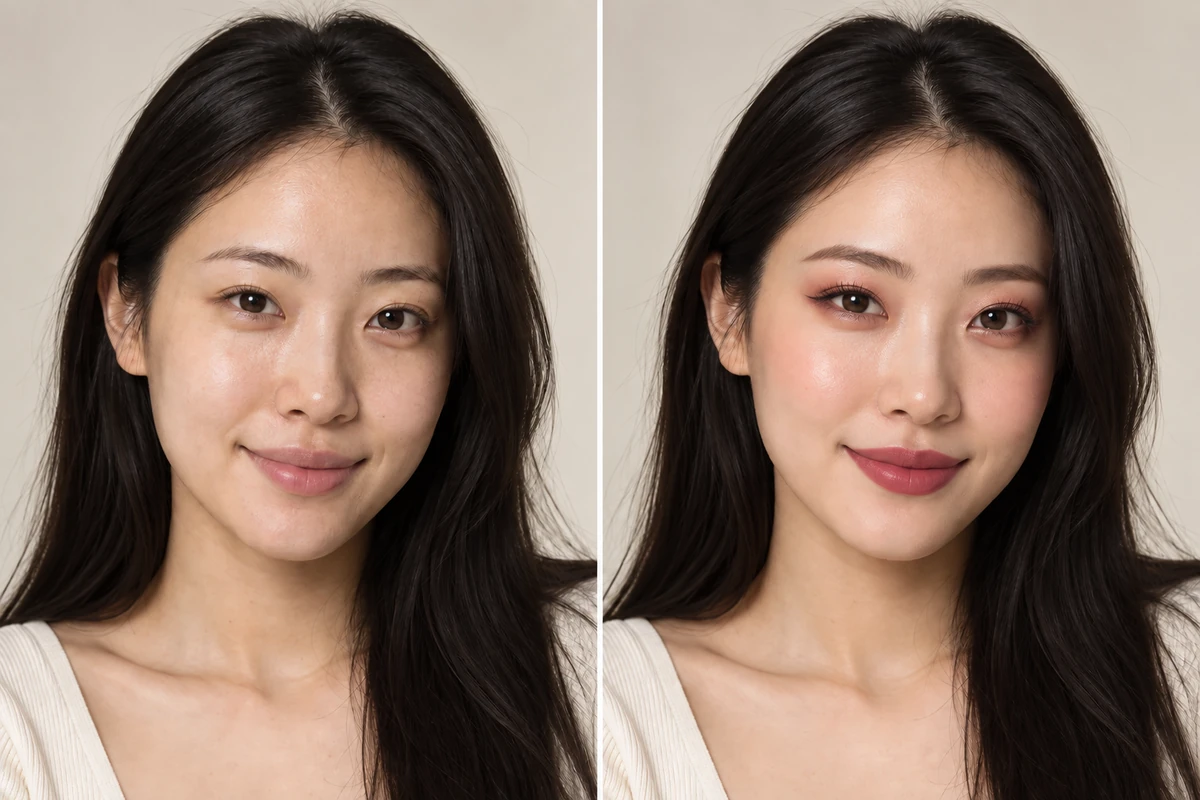
NewYou AI turns a selected style direction and your portrait into a visual preview you can compare.
Explore natural, polished and more expressive looks from curated options.
See the makeup style on your own features instead of a generic face chart.
Try multiple directions before recreating a look in real life.
The app generates a new visual result based on the selected makeup direction.
Pick a solo portrait where the relevant face, hair or clothing area is easy to see.
Choose one of the curated options available in NewYou AI.
Save a useful result, share it or compare it with another direction.
The feature is instructed to preserve identity while changing makeup, but AI-generated output can vary.
Soft, even lighting without heavy existing filters gives the model a clearer starting point.
Yes. Generated results can be saved or shared using Android’s standard sharing options.
Download NewYou AI for Android and create your own visual preview.
Get it on Google Play